
MakeDecks
MakeDecks is a free AI presentation maker. Drop in notes, a PDF, Word or Excel file, an old PowerPoint, a link, a YouTube video, images or audio, and it builds a designed, editable deck in…
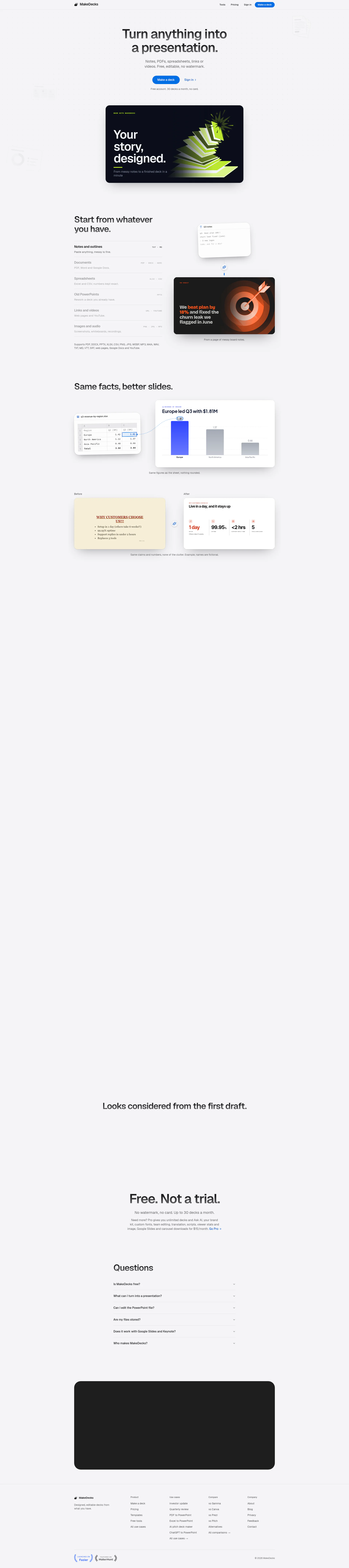
What it does
MakeDecks is designed for Students, teachers, founders and teams who present. The product's public profile describes its main purpose as Turns any notes, document, spreadsheet or link into a designed, editable slide deck in about a minute. It is positioned in the Coding & Dev category and may fit workflows that require a focused product rather than a broad, all-in-one platform.
How it helps
The product can help users evaluate or complete work related to People have the material for a class, pitch or meeting but not the slides. Building a deck by hand takes hours, and many AI tools add watermarks or lock you into their own editor. Typical evaluation scenarios include Evaluate MakeDecks for Coding & Dev work, Use the product with Students, teachers, founders and teams who present, Compare its workflow with alternatives in the directory. Confirm current capabilities with the official website before adopting it in a production workflow.
Common use cases
Evaluate MakeDecks for Coding & Dev work
Use the product with Students, teachers, founders and teams who present
Compare its workflow with alternatives in the directory
People have the material for a class, pitch or meeting but not the slides. Building a deck by hand takes hours, and many AI…
Who it is for
Students, teachers, founders and teams who present. This listing is best treated as a starting point for evaluation.
Where it may not fit
Teams that require enterprise-specific compliance, custom deployment, or guaranteed service levels should verify those requirements with the vendor before relying on this listing.
Key features
Frequently asked questions
What does MakeDecks do?
MakeDecks is designed for Students, teachers, founders and teams who present. The product's public profile describes its main purpose as Turns any notes, document, spreadsheet or link into a designed, editable slide deck in about a minute. It is positioned in the Coding & Dev category and may fit workflows that require a focused product rather than a broad, all-in-one platform.
Who is MakeDecks for?
Students, teachers, founders and teams who present. This listing is best treated as a starting point for evaluation.
How is MakeDecks priced?
Its public profile lists this pricing information: Free: 30 decks a month, no watermark. Pro: $15/month or $144/year. 7-day pass: $5. Students: $10/month with a school email. Confirm the latest price on the official website.
Similar tools to compare
 Fit It OnA fully functional AI Fashion platform built on Next.js, Typescript, Google Vertex AI, and Gemini. This sale includes the live Shopify App Store listing (already approved) AND the…TATalkEasyTalkEasy helps people practice spoken English through one-on-one voice conversations with an AI tutor. Learners speak out loud, work through guided lessons, and get feedback on their…
 PayGlueSell memberships on Ghost with any payment provider Ghost only supports Stripe natively. PayGlue bridges every other provider and makes sure payments go through and paid content unlocks…
 VoiceCheapVoiceCheap is an AI platform that dubs and translates videos into multiple languages, featuring voice cloning, lip-sync, dynamic subtitles, and social media automation. The platform also…